
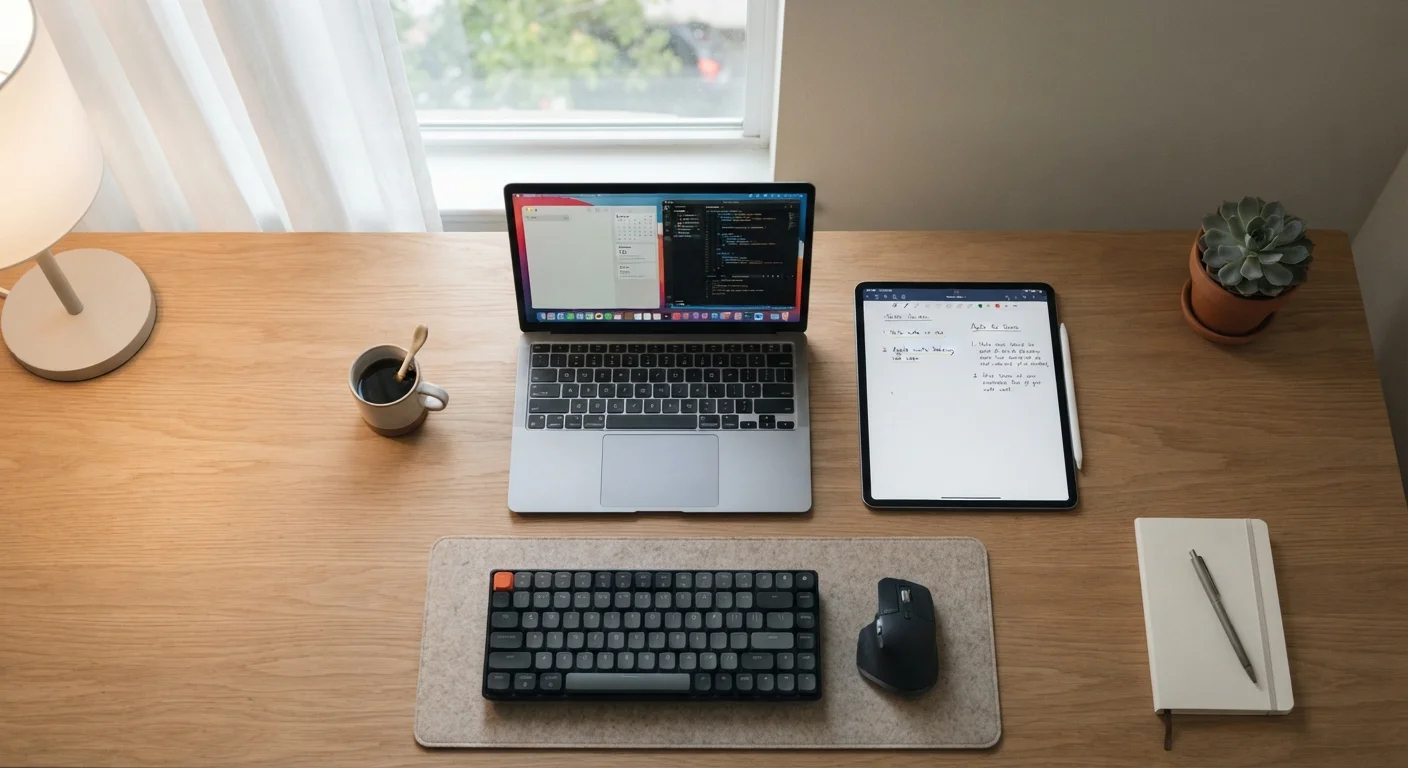
Why This Choice Is Harder Than It Used to Be
Five years ago, the line between tablets and laptops was obvious. Tablets were for media consumption; laptops were for getting work done. That line has blurred considerably. Modern tablets run capable productivity apps, support physical keyboards, and handle video calls without breaking a sweat. Laptops, meanwhile, have gotten lighter and more portable than ever.
But overlap doesn't mean equivalence. Understanding where each device genuinely shines — and where it falls short — makes the decision much clearer. The right question isn't which device is better in the abstract, but which one fits how you actually spend your screen time.
If you're also weighing other tool-vs-tool decisions in your daily life, our look at planning with travel apps vs. old-school spreadsheets shows how this same framework applies beyond devices.
Where Tablets Have a Real Advantage
Lighter and easier to carry anywhere
Most tablets weigh significantly less than even ultralight laptops, making them far less burdensome for commuting, travel, or moving between rooms at home.
Longer battery life for all-day use
Tablet processors are generally optimized for efficiency, and many models deliver 10 or more hours of real-world use on a single charge.
Touch and stylus input for annotation and drawing
For note-taking, sketching, signing documents, or marking up PDFs, a touch screen with stylus support is often faster and more natural than a mouse.
Simple, low-maintenance operating systems
Tablet operating systems are streamlined and receive automatic updates, reducing the maintenance overhead that can come with full desktop operating systems.
Tablets win on portability in a meaningful way. A mid-size tablet often weighs under a pound and fits in a bag without dominating it. For commuters, frequent flyers, or anyone reading, watching, or attending meetings on the go, that difference is felt every day. Battery life also tends to be stronger on tablets — many models comfortably last 10–12 hours under typical use.
Touch interfaces make tablets intuitive for annotation, sketching, drawing, and note-taking with a stylus. Students in visual fields, healthcare workers reviewing documents, and anyone who marks up PDFs frequently will find this interaction style genuinely faster than a mouse-and-keyboard setup.
Where Laptops Still Pull Ahead
Multitasking is limited compared to laptops
Most tablet operating systems still constrain how many apps can run simultaneously, making complex workflows — like referencing a spreadsheet while writing a report — more cumbersome.
Software compatibility gaps remain common
Many professional and specialized applications either have no tablet version or offer a reduced feature set, which can be a hard blocker for certain work tasks.
Physical keyboard is a paid add-on, not standard
Getting a functional typing setup requires purchasing an accessory separately, which adds cost and, in some cases, reduces the portability advantage the tablet started with.
File management is less intuitive
Moving, organizing, and accessing files across multiple apps or external storage is more straightforward on a laptop operating system than on most tablet platforms.
For sustained work — long documents, spreadsheets with complex formulas, coding, video editing, or running multiple windows at once — laptops still have a structural advantage. A physical keyboard and trackpad combination remains faster for high-volume typing. File management is also more intuitive on a laptop operating system, where true multitasking (not just app-switching) is the default behavior.
Software compatibility is another practical concern. Many professional tools — accounting platforms, design suites, database software — either lack tablet versions entirely or offer stripped-down equivalents. If your job requires specific software, check tablet compatibility carefully before assuming it will work. You can also pair either device with peripherals; our guide to wired vs. wireless keyboards and mice covers trade-offs worth knowing.
Tablet OS vs. Desktop OS: A Practical Distinction
iPadOS and Android — the two dominant tablet platforms — are mobile operating systems designed around apps rather than traditional desktop software. Windows-based tablets and detachable laptops (sometimes called 2-in-1s) run a full desktop OS, which changes the software compatibility picture considerably. If you need desktop-class software, a Windows 2-in-1 may offer a middle path worth exploring. Check what operating system a device runs before assuming it will support your specific tools.
The Keyboard Question
One of the most common workarounds for tablet limitations is adding a keyboard. Detachable keyboards and keyboard cases are widely available and can dramatically extend what a tablet can do. That said, a tablet-plus-keyboard combination often costs as much as a comparable laptop — and the typing experience, while functional, is usually not identical to a full laptop keyboard.
If you're going this route, test the keyboard attachment before committing. Key travel, angle flexibility, and trackpad quality vary significantly. Some setups are genuinely comfortable for hours of work; others feel like a compromise after 30 minutes.
~1 lb
Typical weight of a mid-size tablet
Many popular tablets weigh between 0.9 and 1.5 pounds, compared to 2.5–4 pounds for most consumer laptops, a difference that adds up over a full day of carrying.
10–12 hrs
Average tablet battery life under typical use
Manufacturer and independent testing consistently shows tablets outlasting most laptops on a single charge under mixed everyday workloads.
Matching the Device to Your Daily Reality
The most reliable way to decide: track what you actually do on a screen for a week. If most of your time goes to email, video calls, social media, streaming, and light browsing, a tablet handles all of it well and will likely feel less cumbersome day-to-day. If you spend significant time writing, building spreadsheets, editing files, or running specialized software, a laptop is the more practical tool.
Consider also where you use devices. A tablet works beautifully on a couch, in a waiting room, or on a plane. A laptop, even a slim one, is less comfortable in those contexts — but far more capable at a desk. Many households end up with both, using each where it fits naturally. That's not a cop-out; it's often the most honest answer.
Whichever device you choose, keeping it secure matters. Our article on everyday device security habits covers practical steps that apply to both tablets and laptops without requiring technical expertise.
