
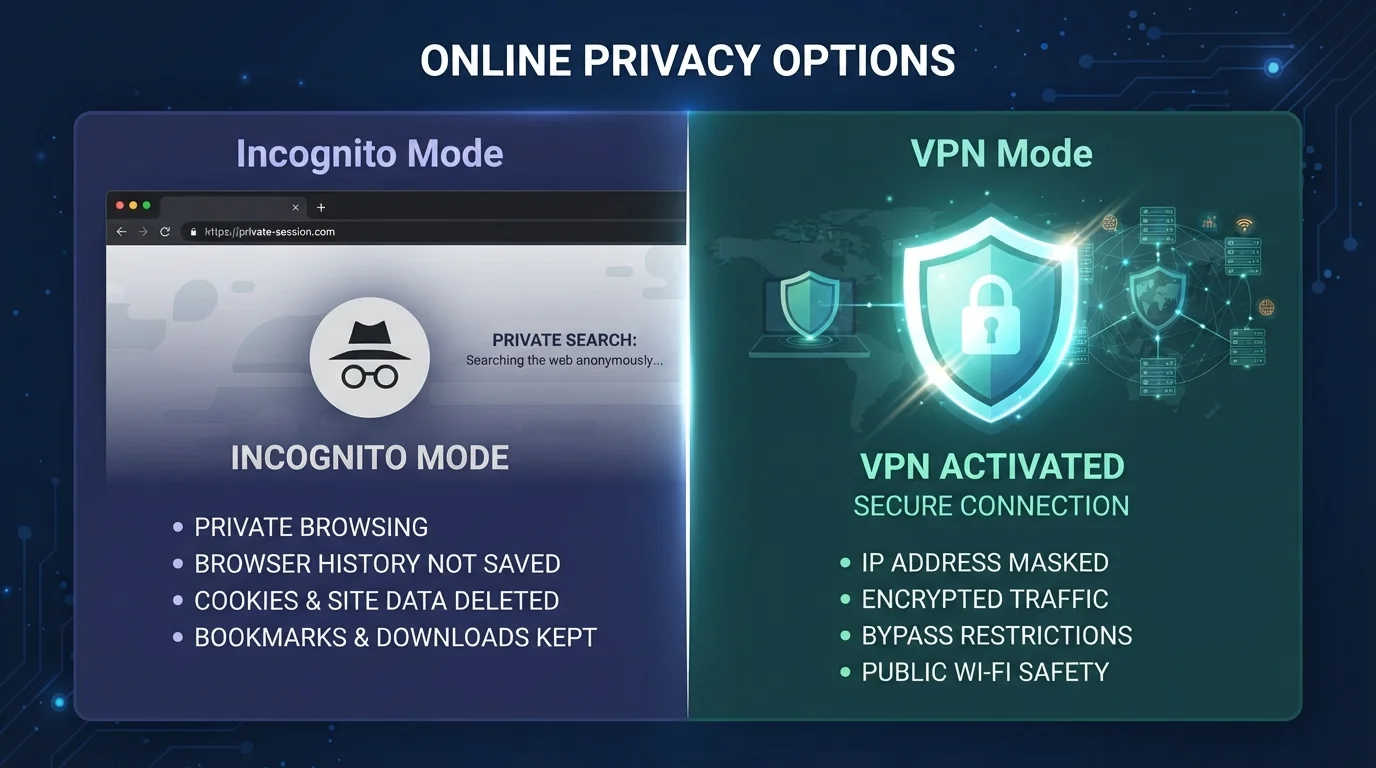
What Incognito Mode Actually Does
Incognito mode (called "Private Browsing" in Firefox and Safari) is a feature built into your browser. When you open an incognito window and start browsing, the browser simply agrees not to remember what you did after you close it. That means no saved history, no stored cookies, and no autofill data from that session.
What incognito mode does not do is hide your activity from the outside world. Your internet service provider (ISP) can still see every site you visit. If you're on a work or school network, the network administrator can still log your traffic. The websites you visit still see your IP address — a number that can be linked back to your general location and your internet account.
Think of it this way: incognito mode closes the curtains inside your house, but anyone standing outside can still see the lights on. It's useful for keeping your own device tidy, but it offers no protection against external observers. For a broader look at why this kind of privacy still matters, see why online privacy matters even when you have nothing to hide.
What a VPN Actually Does
A VPN — short for Virtual Private Network — works at the network level, not the browser level. When you connect to a VPN, your device routes all internet traffic through an encrypted tunnel to a server operated by the VPN provider. From there, that server makes requests on your behalf.
The practical result: your ISP sees only that you're connected to a VPN, not which websites you're visiting. Websites you visit see the VPN server's IP address, not your own. Anyone monitoring the network you're on — at a coffee shop, hotel, or airport — sees encrypted data they can't read. This makes a VPN especially valuable on public Wi-Fi. Learn more about what's actually at risk on public networks.
However, a VPN is not invisibility. The VPN provider itself can see your traffic — so the trustworthiness of the provider matters. You're also still logged into accounts like Google or Facebook, which track your activity regardless of whether your IP is masked. A VPN shifts who can see your data; it doesn't eliminate data collection entirely.
| Criterion | VPN | Incognito Mode |
|---|---|---|
| Hides activity from your ISP | Yes | No |
| Hides activity from websites you visit | Partially (masks IP address) | No |
| Prevents local history being saved | No | Yes |
| Encrypts your internet traffic | Yes | No |
| Protects you on public Wi-Fi | Yes | No |
| Requires installation or setup | Yes | No |
| Makes you fully anonymous | No | No |
Where People Get Confused — and Why It Matters
The most common misconception is that incognito mode provides meaningful online privacy. Browser makers have faced scrutiny over how clearly they communicate this. In reality, the protections are strictly local and strictly temporary.
Another frequent misunderstanding is that a VPN makes you anonymous. It doesn't. If you're signed into an account, that account still knows what you're doing. If a website uses browser fingerprinting — a technique that identifies you by your device's unique configuration — your IP address isn't the only way you can be tracked.
~40%
Americans who misunderstand incognito privacy
A 2019 study by researchers at the University of Chicago and Leibniz University Hannover found that a significant share of US users believed incognito mode hid their activity from their ISP or employer.
3 in 10
US adults using a VPN regularly
According to GlobalWebIndex survey data, roughly 30% of US internet users reported using a VPN at least monthly, often for privacy or security reasons.
Used together, a VPN and incognito mode cover more ground: the VPN handles network-level privacy while incognito mode ensures nothing is stored on your device after the session. Neither replaces good overall privacy habits. For a complete picture, our full digital privacy walkthrough for non-technical users covers the broader toolkit.
Logged-In Accounts Bypass Both Tools
If you're signed into Google, Facebook, or any other account while using a VPN or incognito mode, that service can still track your activity within its platform. Both tools work best when combined with logging out of accounts you don't need active during a session. Account-based tracking operates independently of your IP address or local browser storage.
