
What Each Device Actually Does
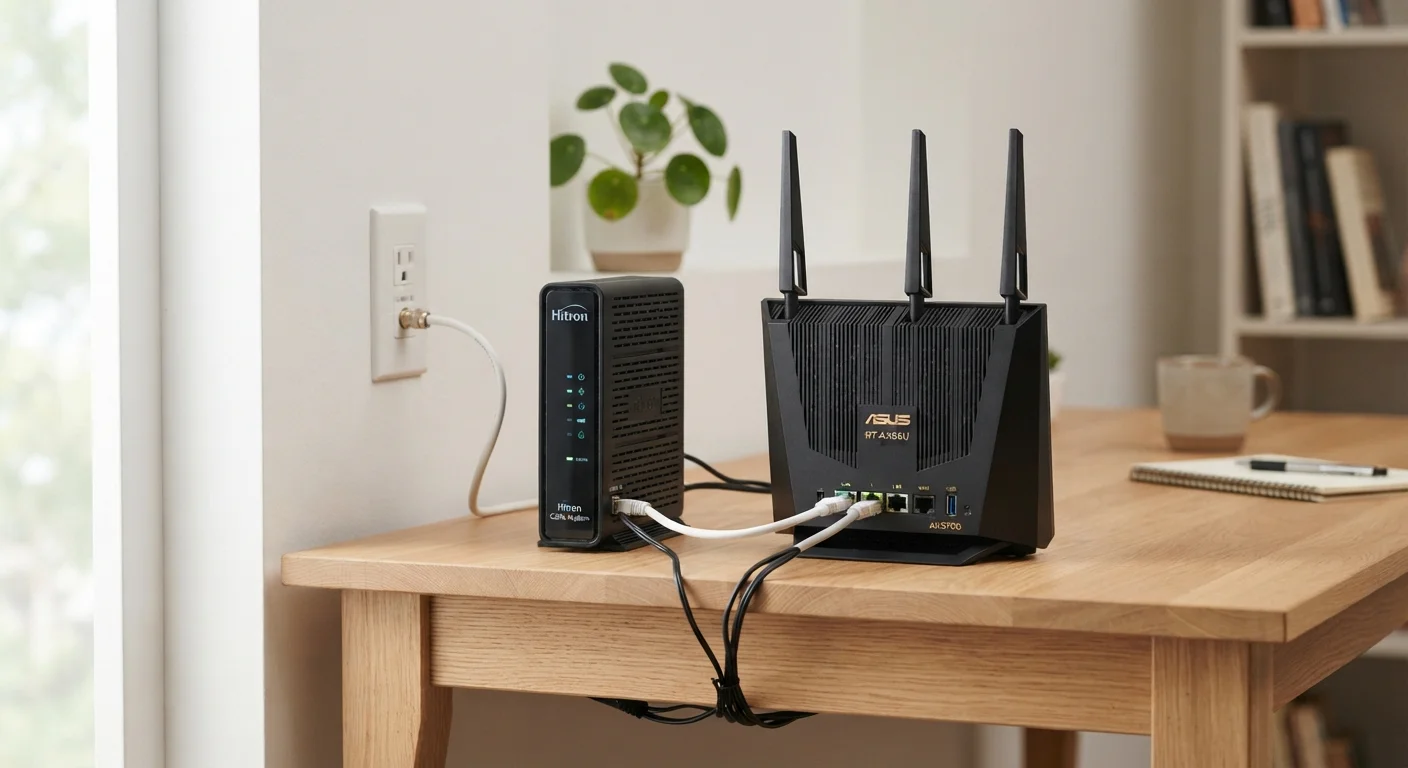
Think of your home internet setup as a two-stage process. First, a signal has to travel from your internet service provider (ISP) into your home — that's the modem's job. Then, that signal needs to reach all the phones, laptops, and smart TVs in your household — that's the router's job.
A modem (short for modulator-demodulator) translates the type of signal your ISP sends — whether it travels over a coaxial cable, a phone line, or fiber optic cable — into a standard digital signal your home equipment can understand. Without it, your devices would have no way to interpret what the ISP is sending. To learn how different ISP signal types compare, see our explainer on DSL, cable, fiber, and satellite internet.
A router takes that translated signal from the modem and distributes it to every device in your home — wirelessly via Wi-Fi or through a physical ethernet cable. It also manages a small internal network, assigning each device its own local address so data reaches the right destination. Your router is the reason you can stream video on the TV while someone else video calls on a laptop, simultaneously, without conflict.
| Criterion | Modem | Router |
|---|---|---|
| Primary job | Connects home to ISP | Distributes connection to devices |
| Signal handled | ISP signal (cable, DSL, fiber) | Standard digital data |
| Creates Wi-Fi | No | Yes |
| Assigns device addresses | No | Yes (via DHCP) |
| Typically supplied by | ISP or purchased separately | User-purchased |
| Needs replacing when | ISP or plan changes | Wi-Fi standards improve or coverage is poor |
| Combo option available | Yes (gateway device) | Yes (gateway device) |
Why the Confusion Happens — and Why It Matters
The mix-up is understandable. Many ISPs supply a single box — called a gateway — that combines both a modem and a router in one unit. When everything is bundled together, it's easy to think of it all as simply "the internet box."
The distinction matters most when something goes wrong. If your internet is completely dead — no connection at all — the problem likely lies with the modem or the line coming into your home. If only certain devices can't connect, or if your Wi-Fi range is poor, the router is the more likely culprit. Swapping the wrong device wastes money and time.
Gateway vs. Modem vs. Router: Quick Clarification
When your ISP hands you a single device, it's technically a gateway — a modem and router built into one box. Referring to it as either a "modem" or a "router" isn't wrong in casual conversation, but knowing it contains both functions helps when troubleshooting or deciding whether to replace it.
It also matters when upgrading. Routers and modems age at different rates and for different reasons. A router may become outdated because newer Wi-Fi standards (such as Wi-Fi 6) offer meaningfully faster wireless speeds. A modem may need replacing if you change internet plans or switch providers — especially if you move from cable to fiber, since those technologies require entirely different modem hardware. For a deeper look at that distinction, our fiber vs. cable internet comparison explains the technical differences involved.
Combo Units, Separate Devices, and What to Own
Gateway devices — the all-in-one combo units — are convenient and common, particularly when an ISP provides one as part of a service package. They reduce clutter and mean one less device to manage. The trade-off is flexibility: if the Wi-Fi side underperforms, you can't simply swap the router portion without replacing the whole unit.
Owning separate devices gives you more control. You can upgrade the router independently when better Wi-Fi standards arrive, or replace just the modem if your ISP changes. Many households choose to use a modem supplied or approved by their ISP alongside a separately purchased router that better fits their coverage needs.
2 in 3
US households that own a router
According to Pew Research Center data, around two-thirds of US adults have a home broadband connection, most of which involve a dedicated router or gateway device.
Wi-Fi 6
Current mainstream Wi-Fi standard
Wi-Fi 6 (802.11ax), ratified by the Wi-Fi Alliance, offers faster speeds and better performance in multi-device households compared to older Wi-Fi 5 routers.
For anyone building out or improving a home network, our full home networking guide walks through hardware choices, placement strategies, and how to expand your setup over time. And if reliability is your primary concern, getting consistent internet throughout your home covers the practical steps that make the biggest difference.
