
What Each Device Actually Does
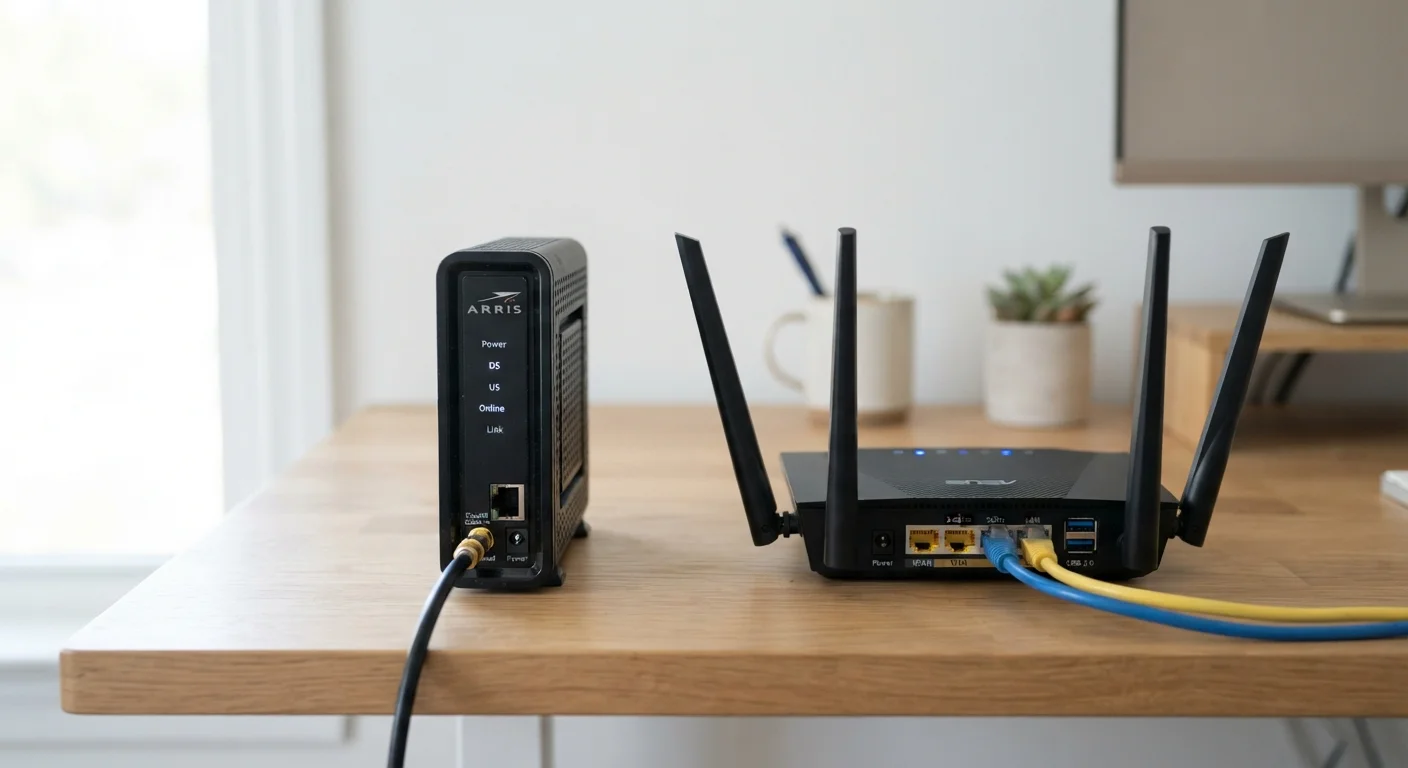
A modem — short for modulator-demodulator — translates the signal from your internet service provider (ISP) into digital data your home equipment can use. Whether your service arrives over a coaxial cable, a phone line, or a fiber-optic connection, the modem handles that conversion. It has two connections: one to the outside world (your ISP's line) and one to your home network, typically an ethernet port.
A router does something entirely different. It takes the single internet connection coming from the modem and distributes it across multiple devices — phones, laptops, smart TVs, and more. It also manages the traffic between those devices, assigning each one a local address so data reaches the right destination. Most routers also broadcast a Wi-Fi signal, which is why people associate them with wireless internet.
Think of it this way: the modem is the front door of your home's internet connection, and the router is the hallway that sends each guest to the right room. Learn more about how these two devices interact in a typical home setup.
| Criterion | Modem | Router |
|---|---|---|
| Primary function | Connects home to ISP | Distributes connection to devices |
| Where signal comes from | ISP's external line | Modem's ethernet output |
| Creates Wi-Fi | No | Yes (on most models) |
| Devices it connects | One output (to router or single device) | Many devices simultaneously |
| Assigns local IP addresses | No | Yes |
| Affected by ISP outage | Yes — loses connection entirely | Local network still functions |
| Can be combined into one unit | Yes — gateway/combo device | Yes — gateway/combo device |
When You Have One, the Other, or Both
Many ISPs provide a single device called a gateway — a combo unit that functions as both modem and router. This is convenient for most households because it reduces setup to plugging in one box. However, combo units sometimes offer fewer customization options than separate dedicated devices.
If your ISP gives you a standalone modem, you'll need to add your own router to create Wi-Fi and support multiple devices. Connecting a router to a modem is straightforward: run an ethernet cable from the modem's output port into the router's WAN (wide area network) port.
The type of internet connection in your home also affects which modem you need. DSL, cable, and fiber each require a modem compatible with that technology. Your ISP can confirm which type applies to your service. For a broader overview of connection types, see our guide on home internet types explained.
~60%
US households using ISP-supplied equipment
According to FCC broadband consumer research, a majority of US home internet subscribers use equipment provided or leased directly from their ISP.
15–25
Average connected devices per US household
Deloitte's Digital Media Trends survey has consistently found US homes averaging more than 15 internet-connected devices, underscoring why a router is essential.
Troubleshooting and Practical Tips
Knowing which device does what makes diagnosing problems much faster. If no devices in your home can access the internet, the issue is likely with the modem or the ISP connection itself — check the modem's status lights first. If some devices connect but others don't, or if your Wi-Fi signal is weak in certain rooms, the router is usually where to focus attention.
Restarting each device in the correct order helps: power down the router first, then the modem. Wait about 30 seconds, restart the modem, wait for it to fully connect, then power up the router. This sequence ensures the router receives a fresh signal from the modem.
For households with persistent dead zones or inconsistent coverage, the router's placement and settings matter more than the modem. Our article on getting consistent, reliable internet throughout your home covers practical approaches including router positioning and network configuration. If you're also curious how your router's Wi-Fi relates to other wireless tech, Bluetooth vs. Wi-Fi explains the differences between the two.
Gateway Devices: Convenience vs. Control
ISP-supplied combo units (gateways) are convenient but may have limited settings compared to a separate dedicated router. Some ISPs allow you to put a gateway into 'bridge mode,' which disables its router functions so you can attach your own router without conflicts. If you want more control over your network — such as setting up a guest Wi-Fi network or adjusting firewall rules — ask your ISP about bridge mode compatibility before purchasing additional equipment.
